
If you are shopping for a new laptop or building a PC, you have probably noticed something confusing about Intel processors. For years, we had familiar names like Core i3, Core i5, Core i7 and Core i9. Now, Intel is promoting processors under names such as Core Ultra 5, Core Ultra 7 and Core Ultra 9.
So, what exactly changed? Is Intel Core Ultra simply a rebranding of Core i, or does it bring meaningful improvements in performance, power efficiency, integrated graphics and AI capabilities?
The answer is more interesting than you might expect.
Intel Core i vs Core Ultra is not just a comparison between old and new names. Core Ultra processors introduce newer platform technologies in many models, including dedicated AI hardware and improved integrated graphics on select chips. However, that does not automatically make every Core Ultra processor faster than every Core i processor.
Let’s break down the differences and find out which one makes more sense for your next PC.
What Is Intel Core i?
Intel Core i is the processor branding that became familiar to PC users through names such as Core i3, Core i5, Core i7 and Core i9.
These processors have powered millions of laptops and desktop PCs used for gaming, office work, video editing, programming and everyday computing.
Different generations brought improvements in CPU architecture, core counts, clock speeds, power efficiency and other features. For example, a 14th-generation Core i7 and a 10th-generation Core i7 belong to the same broad product family, but they can have significantly different specifications and performance.
That is why the processor generation and exact model number matter just as much as the Core i3, i5, i7 or i9 label.
Intel later introduced a simplified naming structure, with mainstream processors marketed as Intel Core 3, Core 5 and Core 7 in newer product lines. The older Core i branding remains relevant when comparing existing processors and PCs.
What Is Intel Core Ultra?
Intel introduced the Core Ultra brand in 2023 alongside its Meteor Lake processor generation. The new branding was intended to distinguish its more advanced client processor offerings from mainstream Intel Core products.
Core Ultra processors are available in different generations and product categories, including laptop and desktop models. Depending on the specific chip, they can offer newer CPU architectures, dedicated AI acceleration, improved integrated graphics and different approaches to power efficiency.
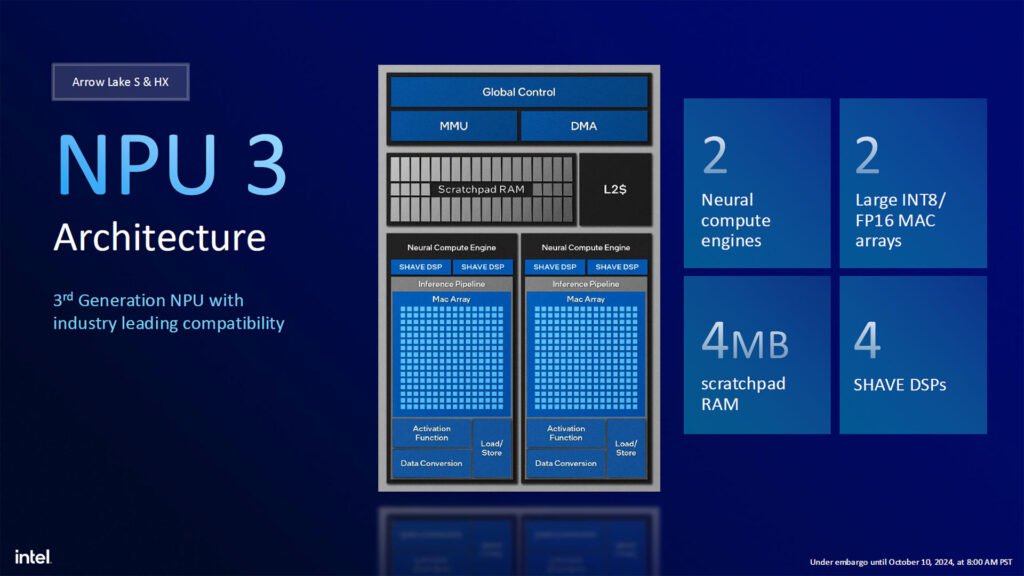
One of the biggest additions in supported Core Ultra processors is an NPU, or Neural Processing Unit.
An NPU is a specialised processor designed to accelerate certain AI workloads efficiently. Depending on the application and hardware support, it can help with tasks such as AI-powered effects, background blur, noise reduction and other on-device AI features.
However, an NPU does not automatically make every application faster. Software must support the hardware, and some AI tasks may run better on the CPU or GPU instead.
Core Ultra is therefore more than a naming change, but its benefits depend on the exact processor and the tasks you perform.
Intel Core i vs Core Ultra: Key Differences
Here is a quick comparison of the two processor families.
| Feature | Intel Core i | Intel Core Ultra |
|---|---|---|
| Naming | Core i3, i5, i7, i9 | Core Ultra 5, 7, 9, and other model-specific naming |
| Product generations | Multiple older generations | Newer processor generations, with features varying by model |
| Dedicated NPU | Not a standard feature across the family | Included in many Core Ultra designs |
| Integrated graphics | Varies by generation and model | Some models feature Intel Arc graphics |
| Power efficiency | Depends on generation and chip design | Many models focus on improved efficiency, but results vary |
| Gaming performance | Depends on CPU, GPU and configuration | Depends on CPU, GPU and configuration |
| Best comparison method | Check exact model and generation | Check exact model and generation |
The most important point is that these are broad product families, not two individual processors. A meaningful comparison requires specific model numbers.
For example, comparing a high-performance desktop Core i7 with a low-power laptop Core Ultra 5 would not be a fair way to judge the two brands.
1. CPU Performance: Is Core Ultra Faster?
This is probably the biggest question for anyone choosing between the two.
The short answer is: not always.
CPU performance depends on the architecture, core and thread configuration, clock speeds, power limits, cooling and the type of workload.
A newer Core Ultra processor may outperform an older Core i processor in some applications, while a powerful Core i desktop chip may still be faster than a low-power Core Ultra laptop processor in other workloads.
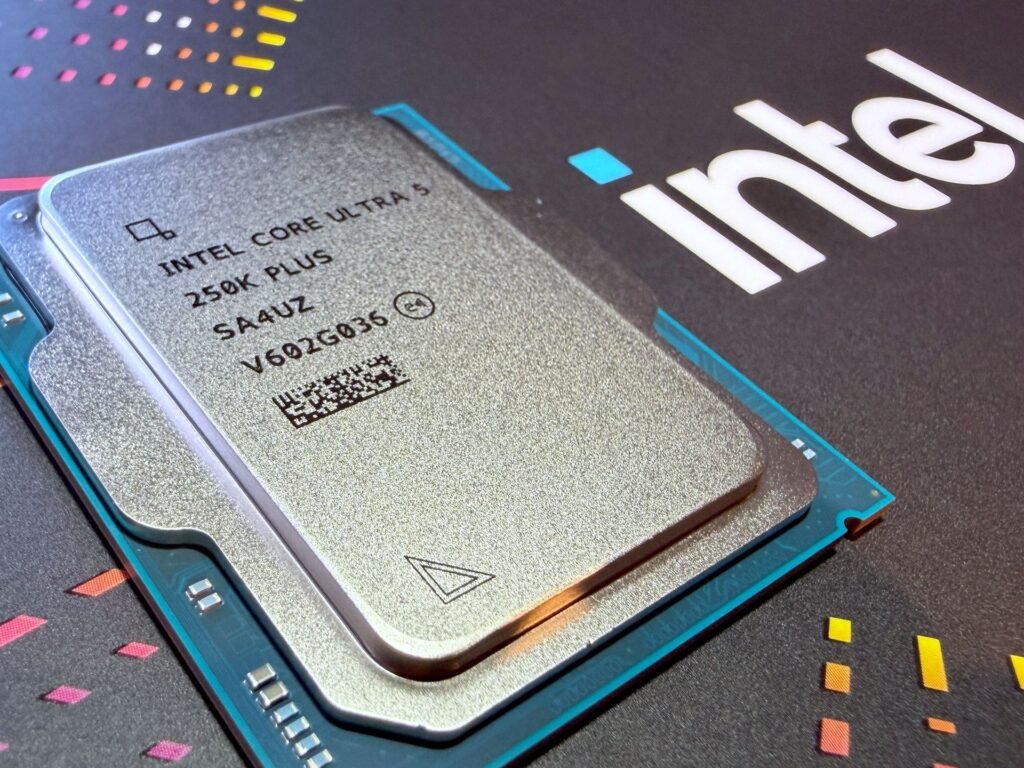
Laptop performance is particularly complicated because two processors with similar names can operate at very different power limits. Cooling design also affects how long a CPU can sustain its performance.
If you edit videos, render 3D projects or run demanding applications, look for benchmarks of the exact processors you are considering. Check performance in your actual workload rather than relying on the Core Ultra name alone.
For everyday browsing, office work, online classes and streaming, both families can provide more than enough performance when you choose an appropriate model.
2. AI Performance: Core Ultra Has an Important Advantage
AI acceleration is one of the defining features of many Core Ultra processors.
A supported Core Ultra chip can include a dedicated NPU that handles certain AI workloads without relying entirely on the CPU or GPU. This can improve efficiency for compatible tasks, particularly in laptops where battery life matters.
However, there are two important things to understand.
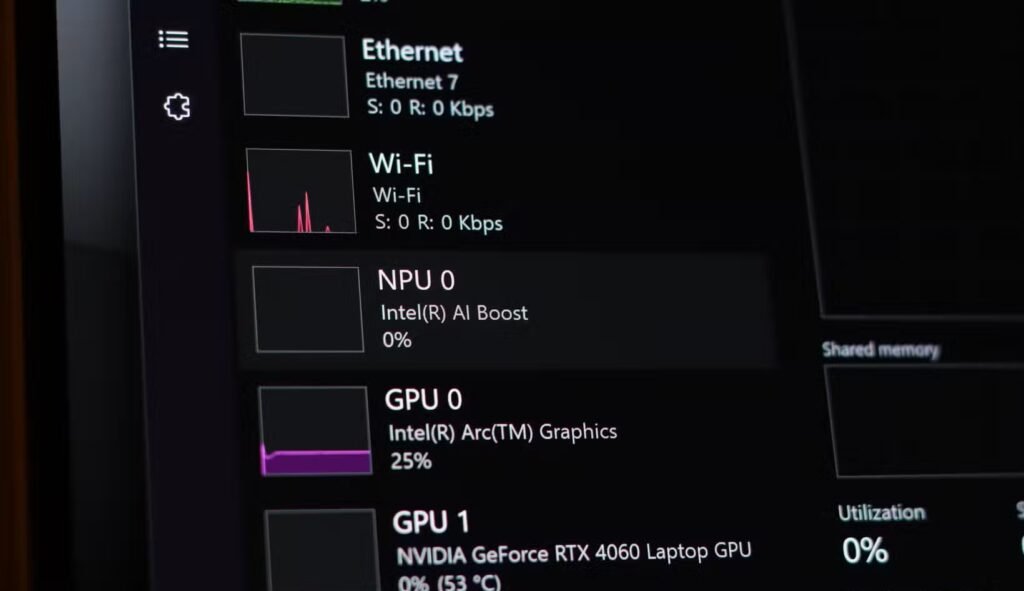
First, not every AI application uses an NPU. Some applications depend on the GPU, while others run their workloads on the CPU or in the cloud.
Second, not every Intel Core processor has the same AI capabilities. Newer mainstream Intel Core models may also include features that older Core i chips do not have.
If AI applications are important to you, check the NPU specifications, supported software and performance requirements of the specific processor. Do not assume that the Core Ultra label guarantees compatibility with every AI feature.
3. Integrated Graphics: Can Core Ultra Be Better for Gaming?
Integrated graphics can make a substantial difference if you use a laptop without a dedicated graphics card.
Some Core Ultra processors feature Intel Arc integrated graphics, which can provide considerably more graphics capability than many older integrated GPU designs. This can improve performance in supported games, creative applications and GPU-accelerated workloads.
But there is a catch: not every Core Ultra processor has the same integrated GPU.
Graphics performance varies by model, architecture, GPU configuration, memory bandwidth and laptop power limits. System memory configuration can also affect performance.
Also Read: I bought a laptop with a dedicated NPU, but it’s actually completely useless
A Core Ultra laptop with a capable integrated GPU may be suitable for esports titles and lighter games at appropriate settings. Demanding modern games may still require lower graphics settings, upscaling or a dedicated GPU.
If you are buying a gaming laptop, compare the actual GPU and gaming benchmarks—not just the processor name.
Also remember that some Core i processors have powerful integrated graphics, while others have limited graphics capabilities or no functional integrated GPU at all. The exact model matters.
4. Battery Life and Power Efficiency
Core Ultra processors are often associated with efficient laptop designs, but the processor alone does not determine battery life.
Battery capacity, screen brightness, display technology, cooling, background applications and the manufacturer’s power settings all influence how long a laptop lasts on a charge.
A modern Core Ultra laptop may offer excellent battery life because of its processor design and the way the manufacturer has configured the system. However, an efficient Core i laptop can also last a long time, while a powerful Core Ultra system can consume substantial power under heavy workloads.

If battery life is your priority, compare real-world battery tests from the exact laptops you want to buy. Ideally, look for web browsing, video playback and mixed-use testing rather than relying only on the manufacturer’s advertised figures.
Also Read: How to Check Laptop Battery Health If Your Laptop Battery Drain Fast
For students, travellers and professionals who work away from a charger, this can be more useful than a small difference in CPU benchmark scores.
5. Core Ultra vs Core i for Gaming PCs
If you are building a desktop gaming PC, do not automatically choose Core Ultra just because it is the newer brand.
Desktop gaming performance depends on the exact CPU, the graphics card, the game, the resolution and the settings you use.
A powerful Core i5 or Core i7 from a suitable generation can still be a sensible gaming option, especially if the processor and motherboard are available at a competitive price.
Newer desktop Core Ultra processors use different platform designs from older Core i desktop chips. That means motherboard compatibility, memory support, upgrade options and total platform cost should be checked before purchasing.
For gaming, consider these factors:
- Gaming benchmarks at your target resolution.
- CPU performance in the games you actually play.
- Compatibility with your existing motherboard and RAM.
- The cost of the CPU, motherboard and memory together.
- Cooling requirements and power consumption.
- Whether the processor has integrated graphics for troubleshooting or backup use.
If you already own a compatible Core i system, upgrading to Core Ultra may require a new motherboard and potentially different memory. That can make the total upgrade significantly more expensive than replacing the CPU alone.
For a new build, compare complete platform costs and performance before deciding.
6. Core Ultra vs Core i for Video Editing and Content Creation
For video editors, streamers and content creators, the better choice depends on the software and the kind of work being done.
CPU-heavy tasks such as some rendering, encoding and processing workloads benefit from strong multicore performance. Other tasks depend heavily on GPU acceleration, while video playback and encoding can benefit from supported media engines.
A newer Core Ultra laptop may offer a useful combination of CPU performance, integrated graphics, media capabilities and power efficiency. That can be attractive for creators who need a portable machine.

However, an older or mainstream Core i desktop processor with stronger sustained performance may be a better choice for certain workloads, particularly when paired with a powerful dedicated GPU and adequate cooling.
Before buying, check benchmarks for your editing software, video codec support, export performance and the features you actually use. If you work with 4K footage, effects or complex timelines, RAM capacity, SSD speed and GPU performance also matter.
Do not pay extra for AI hardware unless your applications can take advantage of it.
7. How to Understand Intel Core and Core Ultra Model Numbers
Intel’s naming system can be confusing, especially because the company has changed its branding over time.
Here are a few examples:
- Core i7-14700K: An older-style 14th-generation desktop Core i7 processor.
- Core Ultra 7 155H: A Series 1 laptop processor.
- Core Ultra 7 265K: A Series 2 desktop processor.
- Core Ultra 7 258V: A Series 2 laptop processor.
These examples represent different product categories and designs. The numbers and suffixes are not directly interchangeable, so you should not compare them as if a higher number always means a faster processor.
Common suffixes also help identify the intended product category. For example, K generally indicates an unlocked desktop processor, F indicates that a discrete graphics card is required for display output, H is commonly used for high-performance laptop processors, and U is commonly associated with power-efficient laptop designs. Exact meaning and availability vary by product generation.
For the latest naming information, consult Intel’s official processor naming guide.
Which One Should You Buy?
The right choice depends on your budget, the type of PC you need and whether the newer features will actually benefit you.
Choose Intel Core Ultra if:
- You want a newer laptop platform with modern features.
- You need an NPU for supported on-device AI applications.
- You want a laptop with capable integrated graphics, where the specific model offers them.
- You value a balance of performance and efficiency for portable computing.
- The model’s benchmarks and overall laptop design suit your workload.
Choose an Intel Core i processor if:
- You find a good deal on a capable older-generation PC.
- You are upgrading an existing system and want to preserve motherboard compatibility.
- A particular Core i model offers the performance you need at a lower total cost.
- You do not need the additional AI features of a particular Core Ultra model.
- Benchmarks show that the Core i processor is better suited to your workload.
For new systems, also compare Intel’s newer mainstream Core processors instead of assuming your only choices are Core i and Core Ultra.
Frequently Asked Questions
Is Intel Core Ultra better than Intel Core i?
Not in every situation. Core Ultra processors introduce newer platform features in many models, including dedicated NPUs and improved integrated graphics on select chips. Actual CPU performance depends on the exact models being compared.
Is Intel Core Ultra only for AI?
No. Core Ultra processors are designed for a range of tasks, including productivity, gaming and content creation. AI acceleration is one feature, not their only purpose.
Is Core Ultra good for gaming?
Yes, depending on the model. Some Core Ultra processors offer strong CPU performance and capable integrated graphics, while gaming laptops with dedicated GPUs can provide much higher graphics performance. Check real-world benchmarks for the exact system.
Should I upgrade from Core i7 to Core Ultra 7?
Not automatically. The improvement depends on the specific processors, your workload and the cost of the new platform. Desktop upgrades may require a new motherboard and potentially new memory, so calculate the complete cost before deciding.
Does every Core Ultra processor have Intel Arc graphics?
No. Integrated graphics vary across models and generations. Check the exact processor specifications rather than assuming every Core Ultra chip has the same GPU.
Final Verdict: Intel Core i vs Core Ultra
Intel Core Ultra represents an important evolution in Intel’s processor lineup, particularly for modern laptop platforms, AI acceleration and integrated graphics on supported models.
But the Core Ultra name does not guarantee that a processor will outperform every Core i chip. Older Core i processors can still offer excellent value, and the right model may be more than powerful enough for gaming, productivity or content creation.
The smartest way to buy an Intel processor is to compare the exact model numbers, real-world benchmarks, power consumption and total platform cost.
If you want a modern laptop with newer AI and graphics features, a suitable Core Ultra model may be the better fit. If you are building a budget PC or upgrading an existing system, a well-priced Core i processor can still make excellent sense.
Ultimately, buy the processor that delivers the performance and features you need—not simply the one with the newest name.