
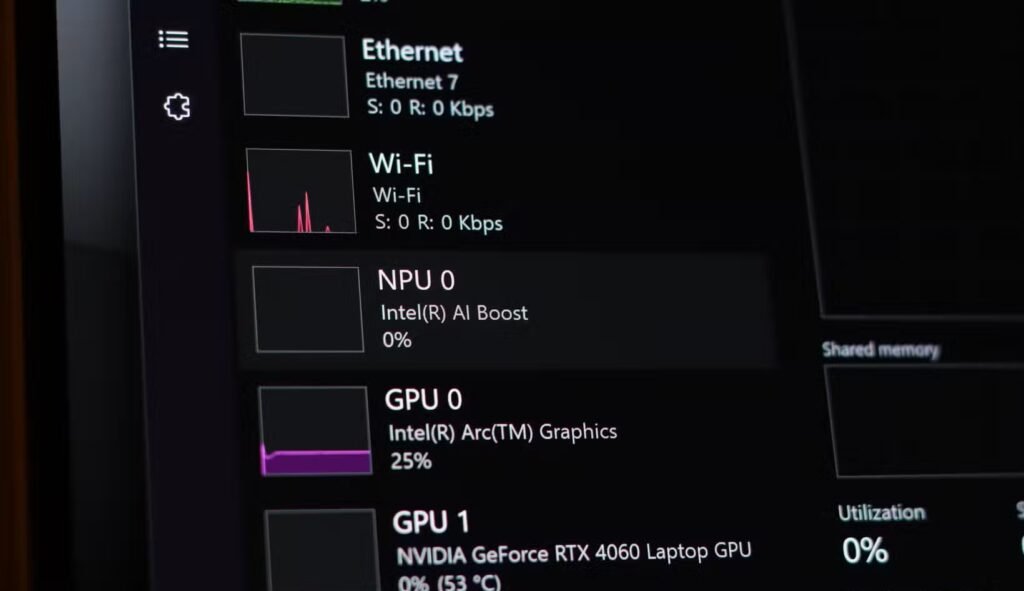
If you have recently looked at a new laptop or desktop processor, you may have noticed a new specification appearing beside the usual CPU cores, clock speeds, and graphics capabilities: NPU.
It stands for Neural Processing Unit, and it is designed specifically to handle artificial intelligence and machine-learning tasks. Unlike a traditional CPU, which is built to handle almost every type of software, an NPU focuses on the mathematical calculations used by AI models, especially matrix and tensor operations.
Also Read: AI CPUs Are Here! But Do You Really Need Intel Core Ultra?
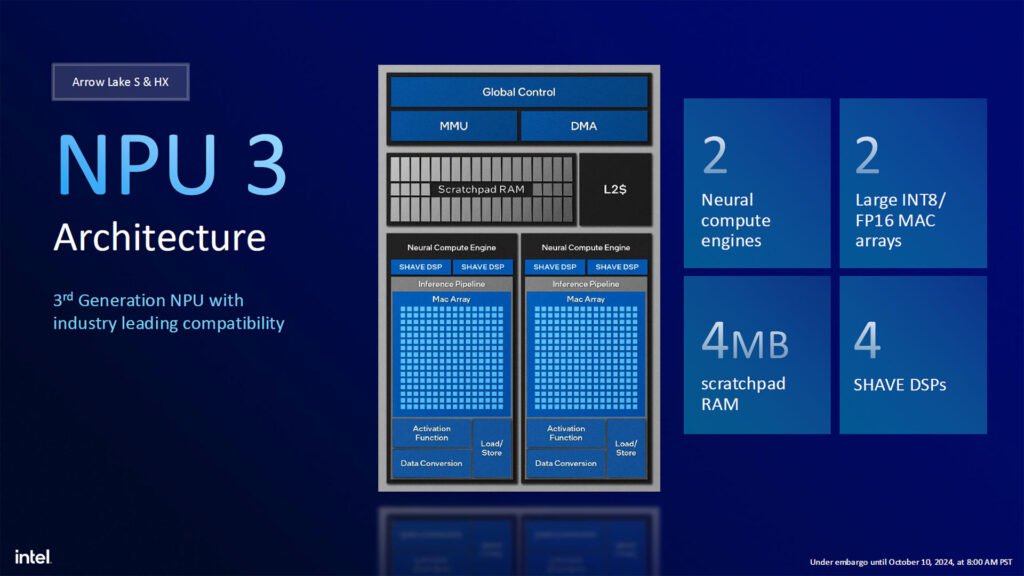
But why are Intel, AMD, Qualcomm, Apple, and other chip manufacturers suddenly adding NPUs to their processors? Is this just another marketing label, or will it genuinely change how we use computers?
The short answer is that AI is becoming part of everyday software. An NPU allows many AI features to run locally on your device with lower power consumption, leaving the CPU and GPU free to handle their usual jobs.
What Exactly Is an NPU?
An NPU is a specialized processor built to accelerate neural-network workloads. Neural networks are the foundation of many modern AI features, including voice recognition, image enhancement, background removal, language translation, noise cancellation, and generative AI.
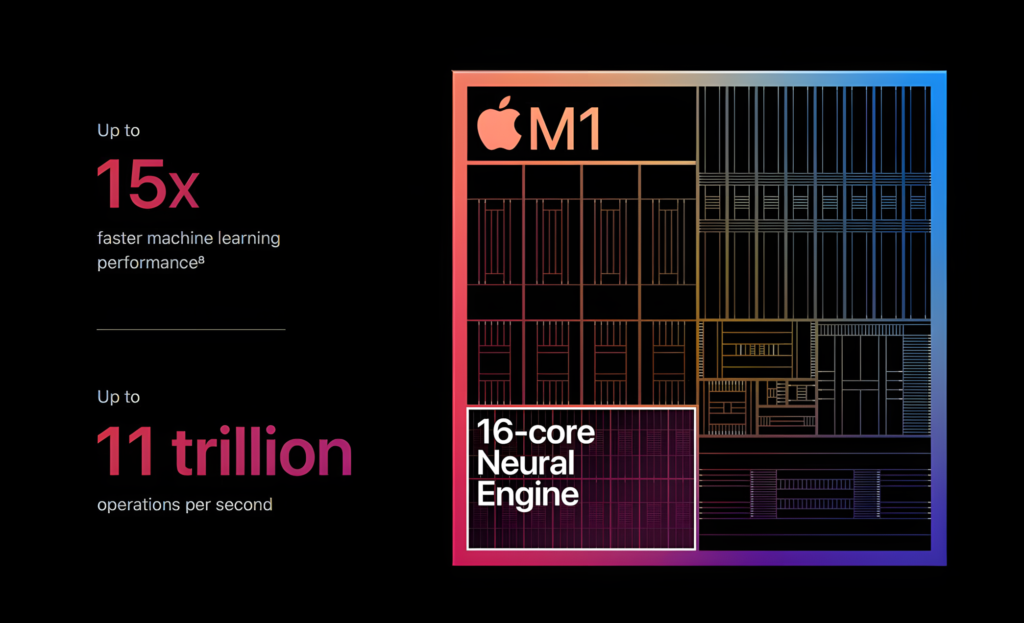
Most AI models depend heavily on repeated mathematical operations. Instead of processing these calculations one after another, an NPU performs many of them simultaneously. This parallel design makes it well suited to the workloads used by machine-learning systems.
Think of the CPU as a highly capable office worker. It can manage documents, calculations, web browsing, games, and thousands of other tasks. The GPU is more like a large team of workers handling many similar tasks at the same time, making it excellent for graphics and parallel workloads.
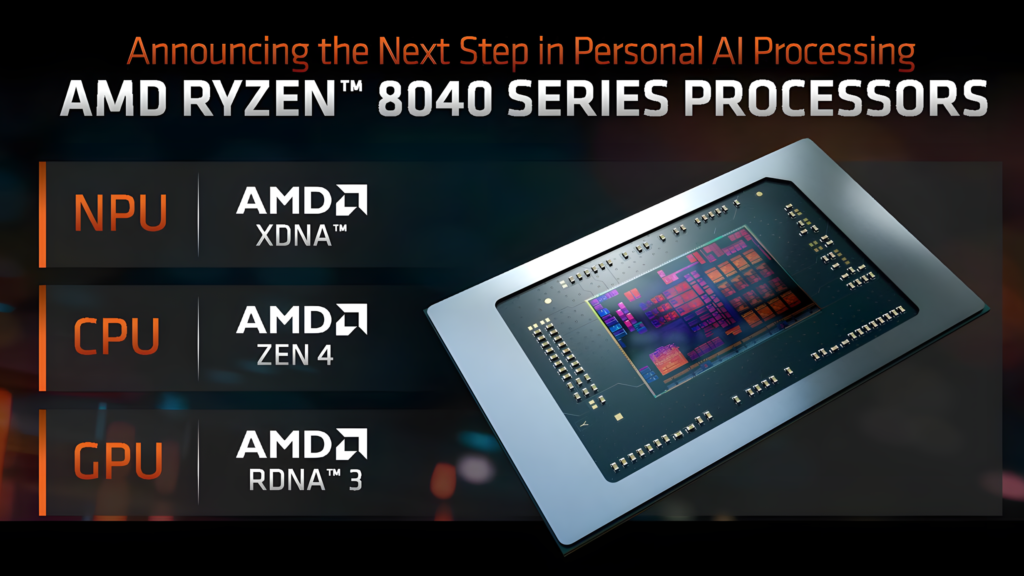
The NPU is more specialized. It is designed for a narrower job, but it can perform that job efficiently. When an application needs to run a trained AI model, the NPU can process it without forcing the CPU or GPU to do all the work.
CPU, GPU and NPU: What Is the Difference?
The CPU remains the general-purpose brain of the computer. It handles operating-system tasks, applications, game logic, file management, browser activity, and background processes. It is flexible, but it is not always the most efficient processor for AI calculations.
The GPU contains many smaller processing units that work in parallel. This makes it powerful for rendering game graphics, editing videos, and running large AI models. However, a GPU generally consumes more power than an NPU, especially when handling smaller, continuous AI tasks on a laptop.
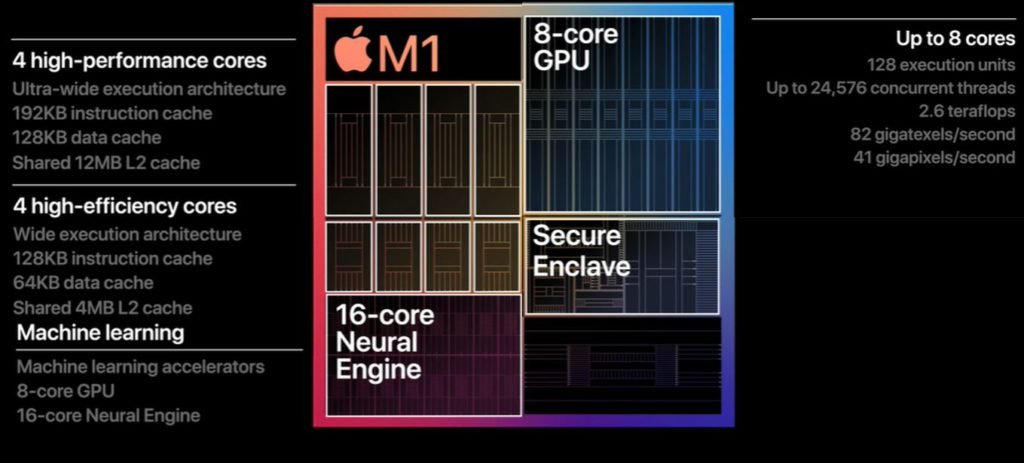
The NPU is designed for low-power AI inference. Inference means using an already trained AI model to produce an answer, such as identifying a face, removing background noise, or generating live captions.
| Processor | Best suited for | Main advantage |
|---|---|---|
| CPU | General computing and system tasks | Flexible and versatile |
| GPU | Gaming, graphics, video editing and heavy parallel workloads | High raw parallel performance |
| NPU | Local AI and machine-learning features | Efficient AI performance per watt |
These processors are not competitors that replace one another. Modern computers use them together. A laptop may use the CPU for application logic, the GPU for graphics, and the NPU for background AI features.
Why Are NPUs Appearing Now?
Artificial intelligence has existed for years, but recent advances have made it much more visible to everyday users. Applications now use AI for real-time camera effects, speech processing, image editing, search, writing assistance, translation, and video production.
Previously, many of these features depended on cloud servers. Your device would send data over the internet, a remote data center would process it, and the result would be sent back. That approach can work well, but it requires a reliable internet connection and may introduce delays.
The growing demand for on-device AI has encouraged chip manufacturers to place dedicated AI hardware inside phones, tablets, laptops, and desktop processors. Although NPUs became popular in smartphones first, they became a major feature in PC processors from around 2024 onward.
The arrival of smaller AI models also helped. Not every AI task requires a massive data-center system. A laptop can run relatively compact models for voice isolation, webcam correction, transcription, and other everyday features.
What Can an NPU Do?
The exact capabilities depend on the processor, operating system, and software support. However, NPUs can assist with several practical tasks.
Video Calls
An NPU can help power automatic background blur, eye-contact correction, face framing, lighting adjustment, and voice isolation. These features can run continuously while using less energy than relying entirely on the CPU or GPU.
Noise Cancellation
AI-based noise cancellation can identify speech and separate it from keyboard sounds, traffic, fans, or household noise. Since this process happens repeatedly during a call, an NPU is useful for performing it efficiently.
Live Captions and Translation
Some devices can transcribe speech or translate conversations in real time. When the necessary model is installed locally, the NPU can process portions of that work without sending every word to a cloud server.
Photo and Video Editing
AI-powered editing tools can remove objects, enhance faces, sharpen images, upscale footage, detect subjects, or separate people from backgrounds. A compatible NPU may accelerate these features while reducing the load on other processors.
Generative AI
NPUs can also support smaller local language and image models. They may assist with writing tools, document summarization, image generation, or intelligent search. However, an NPU does not automatically turn a budget laptop into a powerful ChatGPT-style workstation. The size and complexity of the AI model still matter.
What Does TOPS Mean?
NPU performance is commonly advertised in TOPS, short for trillions of operations per second. It describes how many basic mathematical operations the NPU can theoretically process in one second.
A higher TOPS figure can indicate greater AI throughput, but it should not be treated as the only performance measurement. Real-world results also depend on:
- The type and size of the AI model.
- Whether the software supports the NPU.
- The data format being used.
- Memory bandwidth and system memory.
- Driver and operating-system optimization.
- Whether the workload is handled by the CPU, GPU, NPU, or a combination.
For example, two processors with similar TOPS ratings may deliver different results in actual applications. One may have better software support, while another may perform better with a specific model or data format.
For consumers, application compatibility is often more important than the headline number.
Does an NPU Improve Gaming?
Usually, not directly.
An NPU does not replace a dedicated graphics card, and it does not normally increase frame rates in traditional games. Your GPU remains the most important component for rendering game graphics, while the CPU handles game logic, physics, and background tasks.
However, AI is slowly becoming part of gaming technology. Developers may use AI for upscaling, frame generation, voice interaction, animation, and content creation. Many current upscaling and frame-generation technologies rely primarily on the GPU, but future systems could distribute some AI tasks across different processors.
Also Read: Is 8GB VRAM Enough in 2026? The Shocking Truth

For a gaming PC, an NPU should therefore be viewed as an additional feature rather than a replacement for a powerful GPU. If your main goal is higher FPS, upgrading the graphics card will generally matter much more.
The Biggest Advantage: Efficiency
The strongest reason to include an NPU is not simply speed. It is power efficiency.
A laptop running an AI feature continuously through its CPU may use more power and generate additional heat. A GPU can process the workload quickly, but it may also consume considerably more energy. An NPU is designed to complete these repetitive AI tasks using less power.
This matters particularly for thin laptops and battery-powered devices. Features such as noise cancellation, webcam enhancements, live transcription, and smart assistance may run in the background without draining the battery as quickly.
The CPU and GPU also benefit because they can focus on their main responsibilities. While the NPU processes an AI camera effect, the CPU can manage applications and the GPU can render graphics.
Does an NPU Make AI Private?
It can improve privacy, but it does not guarantee it.
When an AI task runs locally, your data does not necessarily need to travel to a remote server. This can be useful for voice recordings, personal photographs, documents, and video calls. Local processing may also reduce network delay and allow some features to work without an internet connection.
However, privacy depends on how the software is designed. An application may still send information to the cloud for larger or more advanced tasks. Users should check the privacy settings and data policies of individual applications rather than assuming that every NPU-powered feature is completely offline.
Are NPUs Worth Paying For?
For most buyers, the answer depends on how they use their computer.
An NPU may be valuable if you regularly use AI-enhanced video calls, transcription, image editing, accessibility tools, local AI applications, or productivity software. It is also useful for people buying a laptop that they expect to keep for several years, as software developers are increasingly adding AI features to mainstream applications.
For a gaming-focused desktop, the NPU is less important today. A strong CPU, sufficient RAM, fast SSD, and capable GPU will have a much greater effect on gaming performance. check this article from Hindustan Times to know more about NPU use cases.
The good news is that in many modern processors, the NPU is already included rather than sold as a separate component. You do not need to install an additional card or configure a complicated system. The hardware is simply available when supported software needs it.
The Future of AI PCs
The NPU is part of a broader shift toward heterogeneous computing. Instead of asking one processor to do everything, computers divide workloads among specialized units.
The CPU handles general tasks, the GPU handles graphics and highly parallel workloads, and the NPU handles efficient AI processing. This approach resembles a toolbox: each tool is designed for a particular job, and the system becomes more efficient when the correct tool is used.
NPUs will not make cloud computing disappear. Large language models, advanced image generators, and complex professional AI systems may still require powerful remote servers or high-end GPUs. However, everyday AI features can increasingly move closer to the user’s device.
That is why every new processor suddenly seems to have AI inside. AI is no longer limited to research laboratories or smartphone assistants. It is becoming part of the operating system, communication apps, creative software, and productivity tools.
An NPU may not be exciting in the same way as a higher GPU clock speed or more CPU cores, but it represents an important change in computer design. It is a small, specialized engine that helps devices perform useful AI tasks faster, more privately, and with less power.