
High Bandwidth Memory (HBM) has become one of the most exciting memory technologies in modern computing. It powers AI accelerators, supercomputers, and flagship GPUs from AMD and NVIDIA, delivering memory bandwidth measured in terabytes per second.
So naturally, many PC enthusiasts ask the same question:
If HBM is so fast, why don’t desktop PCs use it instead of DDR5 RAM?
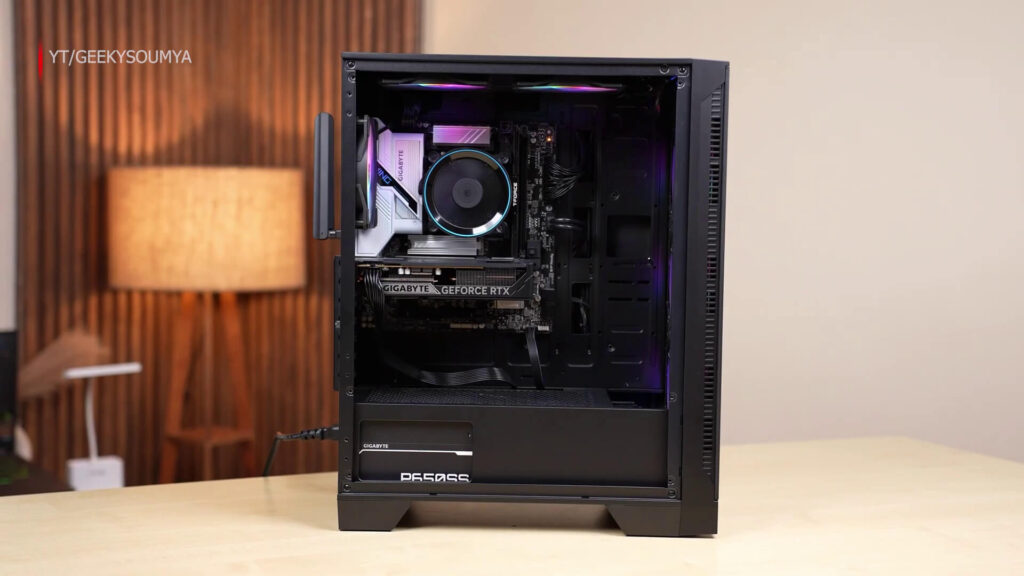
At first glance, replacing traditional DIMMs with HBM sounds like the obvious next step. However, the reality is far more complicated. HBM isn’t simply a faster version of DDR memory—it is an entirely different memory architecture designed for very different workloads.
Here’s why HBM isn’t practical for consumer PCs.
Also Read: Gen 5 SSDs: Fast on Paper, Useless in Real Life?
HBM Must Be Extremely Close to the Processor
The biggest reason is physical design.
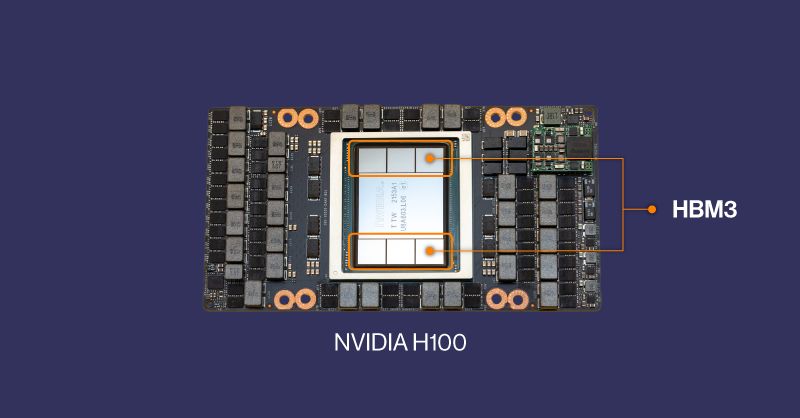
Unlike DDR memory, which sits in removable DIMM slots on the motherboard, HBM is stacked directly beside the processor or GPU inside the same package.
Modern HBM uses Through-Silicon Vias (TSVs) and often a silicon interposer (or advanced 3D packaging technologies) to connect the processor and memory using thousands of microscopic electrical pathways.
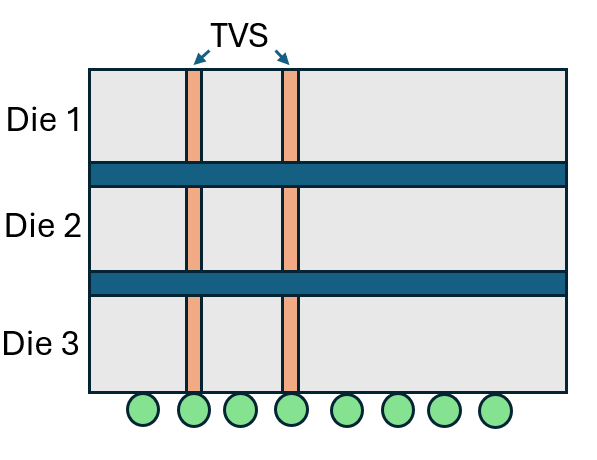
These incredibly short connections are what allow HBM to deliver its enormous bandwidth while keeping power consumption relatively low.
If the memory were moved farther away—such as onto a traditional motherboard—the signal quality would degrade, latency would increase, and many of HBM’s advantages would disappear.
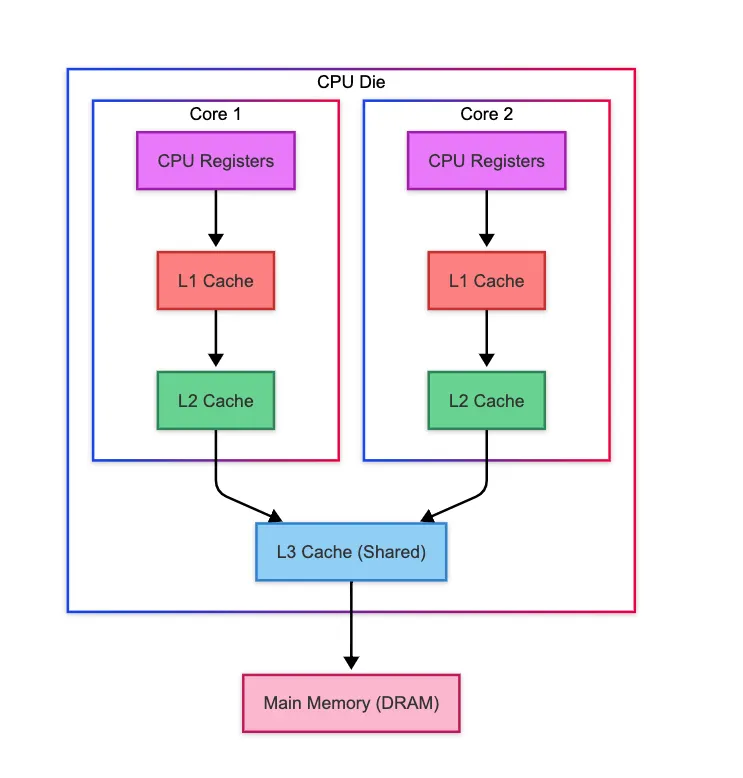
Simply put, HBM only works because it sits almost next to the chip it’s serving.
Motherboards Can’t Handle HBM’s Massive Connection Requirements
Another major challenge is connectivity.
A DDR5 memory module communicates with the CPU using a relatively narrow memory interface.
HBM is completely different.
Each HBM stack uses an extremely wide memory bus consisting of over a thousand data connections. These thousands of high-speed electrical connections are routed through the silicon interposer directly into the processor.
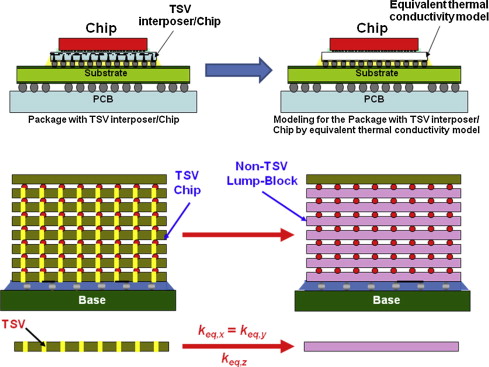
Trying to route that many signals through a standard CPU socket and across a motherboard would be incredibly difficult and prohibitively expensive.
Think of it like this:

A DDR5 DIMM is similar to a four-lane highway connecting your CPU and memory. HBM, on the other hand, is more like a massive superhighway with thousands of lanes running directly beside the processor. That kind of connection simply cannot be recreated using traditional motherboard traces.
Also Read: Frame Generation Is Worst If You Don’t Know This
HBM Is Extremely Expensive
Performance comes at a cost.
HBM is significantly more expensive to manufacture than conventional DDR memory.
Building HBM requires:
- Multiple memory dies stacked vertically
- Through-Silicon Via (TSV) technology
- Advanced chip packaging
- Silicon interposers or other advanced packaging solutions
- Highly precise manufacturing processes
All of these increase production costs while reducing manufacturing yields.
As a result, HBM costs considerably more per gigabyte than DDR5 memory.
Because supply is limited, manufacturers naturally prioritize industries willing to pay premium prices, such as:
- Artificial Intelligence (AI)
- High Performance Computing (HPC)
- Enterprise servers
- Professional accelerators
- Data centers
For mainstream consumer desktops, the cost simply doesn’t make economic sense.
Capacity Is Still a Challenge
HBM delivers incredible bandwidth, but capacity is another story.
Each HBM stack typically provides relatively limited memory capacity compared to standard DDR DIMMs.
Although newer generations have increased capacities significantly, expanding total memory still requires adding more HBM stacks, which increases package size, manufacturing complexity, power delivery requirements, and overall cost.
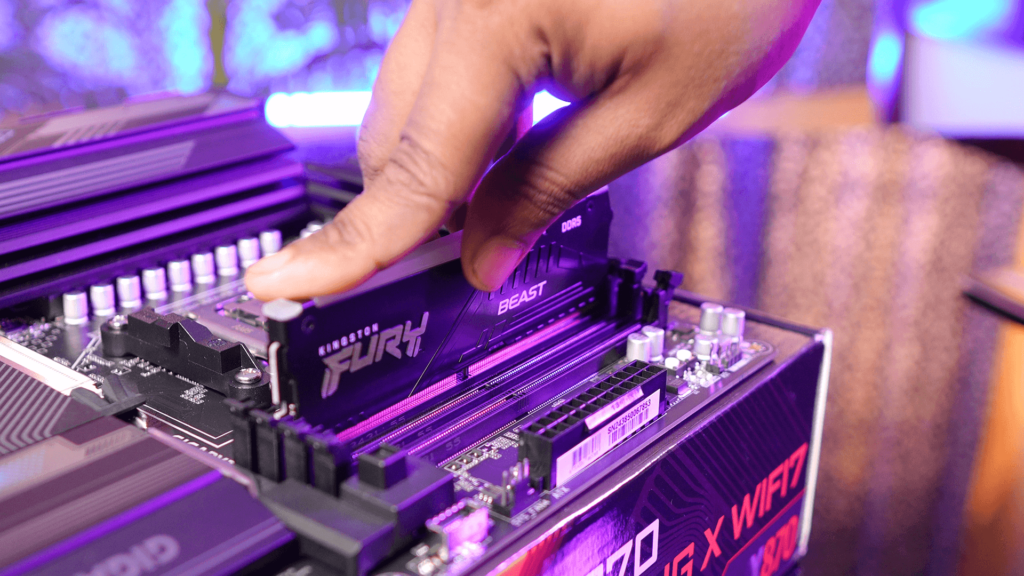
With DDR5, adding more memory is much simpler.
Need more RAM?
Install another DIMM.
Need 64GB?
Use two 32GB modules.
Need 128GB or more?
Install larger DIMMs without redesigning the processor package itself.
That flexibility is one of DDR memory’s greatest strengths.
Bandwidth Isn’t Everything
One common misconception is that higher bandwidth automatically means better performance.
In reality, desktop workloads don’t always benefit from enormous memory bandwidth.
Applications such as:
- Web browsing
- Gaming
- Office software
- Programming
- Content creation
typically perform thousands of small memory accesses rather than continuously streaming massive amounts of data.
HBM excels at moving huge amounts of data simultaneously, making it ideal for workloads like:
- AI model training
- Scientific simulations
- GPU rendering
- Machine learning
- Supercomputing
Desktop operating systems and everyday applications, however, often depend just as much on memory capacity, caching behavior, and latency characteristics as they do on raw bandwidth.
In many situations, HBM’s advantages would be underutilized on a consumer PC.
It Would Require Redesigning the Entire PC Platform
Replacing DDR memory with HBM isn’t as simple as swapping one memory technology for another.
It would require redesigning nearly every part of the PC ecosystem.
Manufacturers would need:
- New CPU memory controllers
- Completely different processor packages
- New motherboard designs
- New CPU sockets
- Different power delivery systems
- Updated BIOS and firmware
- Operating system optimizations
Even user upgrades would become impossible.
Unlike DDR memory, which users can replace or expand whenever they want, HBM is permanently integrated into the processor package.
Once you buy the system, your memory configuration is fixed for the life of the processor.
That goes against one of the biggest advantages of desktop PCs: upgradeability.
Why GPUs Can Use HBM but PCs Can’t
This raises another question: If HBM is impractical for PCs, why do some GPUs use it? The answer lies in how graphics cards are designed. Unlike desktop motherboards, GPU manufacturers control the entire package.
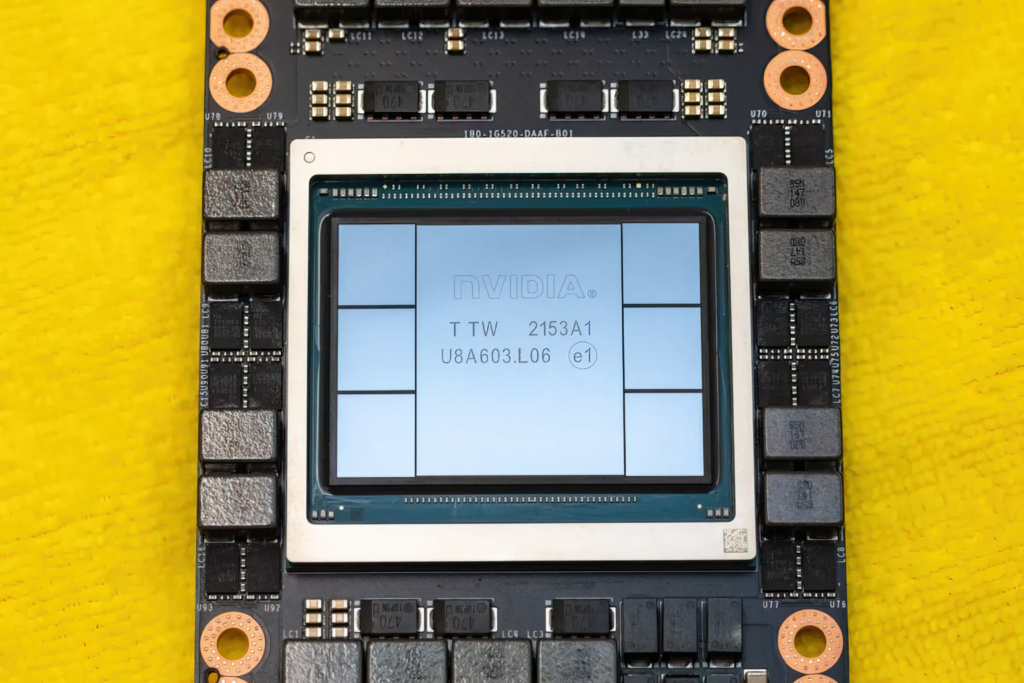
They can place the GPU die, HBM stacks, and silicon interposer together inside a single integrated package specifically optimized for extremely high bandwidth.
GPUs also process enormous amounts of graphical data simultaneously, making HBM’s bandwidth a perfect fit.
Desktop CPUs, on the other hand, serve far more diverse workloads where flexibility, capacity, and cost are equally important.
Could Consumer PCs Ever Use HBM?
Possibly—but probably not as a full replacement for DDR memory.
Some processors have already experimented with small amounts of on-package HBM acting as a high-speed cache rather than primary system memory.
Future architectures may combine HBM with conventional DDR or newer memory technologies to achieve the best of both worlds.
However, replacing removable DDR memory entirely would require solving enormous technical and economic challenges.
For now, DDR5 remains the more practical choice for mainstream desktops thanks to its lower cost, larger capacities, easier upgrades, and mature ecosystem.
Final Thoughts
HBM is undoubtedly one of the fastest memory technologies ever developed, but speed alone doesn’t determine whether a technology is suitable for desktop PCs.
Its need for advanced packaging, thousands of ultra-short electrical connections, high manufacturing costs, limited upgradeability, and different workload characteristics make it a poor replacement for conventional system memory.
That’s why HBM continues to dominate AI accelerators, high-end GPUs, and supercomputers, while DDR5 remains the standard for consumer desktops.
In the future, we may see hybrid designs that combine HBM with traditional memory, but for the foreseeable future, HBM and DDR will continue serving different purposes rather than competing directly.