
WiFi standards have evolved rapidly to handle denser device environments and higher bandwidth needs. For tech enthusiasts in India building gaming PCs or streaming content, understanding WiFi 5 (802.11ac), WiFi 6 (802.11ax), and WiFi 7 (802.11be) differences ensures optimal network performance.
Core Technical Breakdown
WiFi 5 operates primarily on 5GHz bands with 80MHz channels and 256-QAM modulation. It introduced MU-MIMO for better multi-device handling but lacks efficiency in crowded networks.
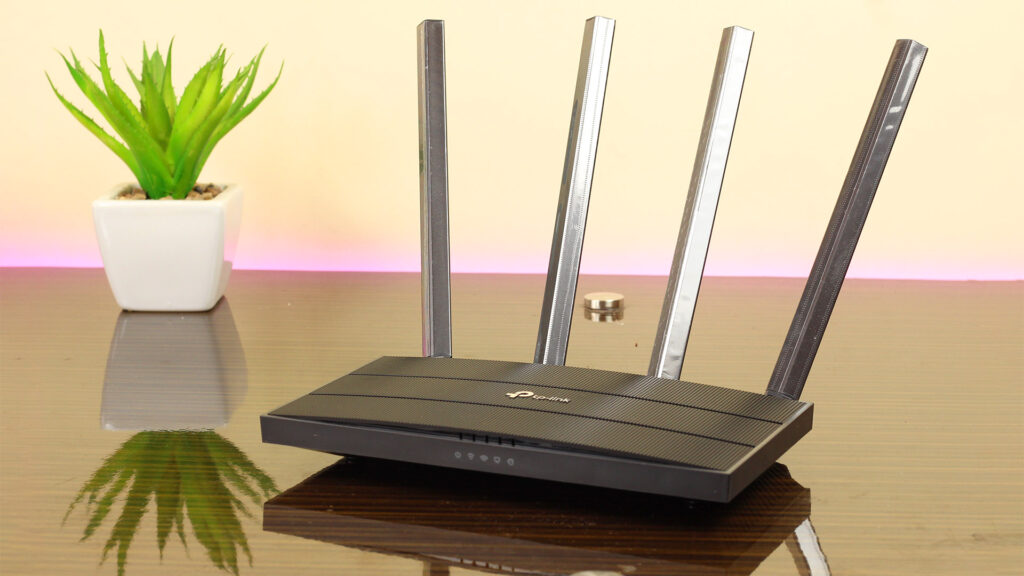
WiFi 6 adds OFDMA for smaller data packets, 160MHz channels, 1024-QAM, and optional 6GHz (WiFi 6E). It targets homes with 50+ devices like smart homes and 4K streaming.
WiFi 7 doubles down with 320MHz channels, 4096-QAM, Multi-Link Operation (MLO), and 16 spatial streams across 2.4/5/6GHz bands for seamless band switching.
Performance Comparison Table
WiFi 7 delivers 4-5x WiFi 6 speeds in real tests, with short-range 6GHz hitting 3Gbps+ on routers like ASUS RT-BE96U. WiFi 5 feels sluggish at 500-800Mbps peaks.
Speed and Real-World Benchmarks
Sequential speeds scale dramatically: WiFi 5 maxes at 1.3Gbps on premium setups, WiFi 6 hits 2-3Gbps near router, WiFi 7 pushes 5-10Gbps with MLO combining bands.
Gaming sees WiFi 7 cut ping by 30-50ms versus WiFi 5, crucial for competitive play. 8K streaming or AR/VR demands WiFi 7’s throughput; WiFi 6 handles 4K multi-room fine.
In Indian apartments with thick walls, WiFi 6’s beamforming penetrates better than WiFi 5. WiFi 7’s puncturing dodges interference from neighbors’ microwaves.
Key Feature Deep Dive
WiFi 5 Strengths
Solid for single-device 4K streaming or basic browsing. Affordable routers under ₹3,000 still common in budget homes.
WiFi 6 Innovations
OFDMA slices channels for IoT devices; Target Wake Time saves phone battery. WiFi 6E unlocks congestion-free 6GHz for early adopters.
WiFi 7 Game-Changers
MLO uses multiple bands simultaneously for 2.4x speed gains. Puncturing fixes 320MHz channels around interference. Perfect for 100+ device smart homes.
Use Cases for Gamers and Creators: WiFi 5 vs WiFi 6 vs WiFi 7
When it comes to real-world performance, the difference between WiFi 5, WiFi 6, and WiFi 7 becomes much clearer through actual use cases—especially for gamers and content creators who rely heavily on stable, high-speed connectivity.
For Gamers
WiFi 5 (802.11ac)
WiFi 5 is still usable for casual gaming, but it starts to struggle in modern environments. If multiple devices are connected or someone is streaming videos at the same time, you may experience higher latency, lag spikes, and inconsistent ping. It works fine for single-device setups, but not ideal for competitive gaming.
WiFi 6 (802.11ax)
WiFi 6 is a significant upgrade for gamers. With technologies like OFDMA and improved MU-MIMO, it handles multiple devices much more efficiently. This means lower latency, smoother gameplay, and more stable connections—even when your network is busy. For most gamers, WiFi 6 hits the sweet spot between performance and cost.
WiFi 7 (802.11be)
WiFi 7 takes gaming to the next level. With ultra-low latency, multi-link operation (MLO), and extremely high throughput, it’s designed for near-instant response times. This is especially useful for cloud gaming, VR gaming, and competitive esports where every millisecond matters. However, it’s currently overkill unless you’re building a future-proof, high-end setup.
For Content Creators (YouTubers, Streamers, Editors)
WiFi 5 (802.11ac)
For basic tasks like uploading videos or browsing, WiFi 5 can still get the job done. But large file transfers (like 4K footage), live streaming, or cloud backups may feel slow and inconsistent, especially on congested networks.
WiFi 6 (802.11ax)
WiFi 6 is ideal for most creators. It provides faster upload speeds, better stability during live streaming, and smoother performance when transferring large files across devices. If you’re a YouTuber or streamer working from home, this is a solid and reliable choice.
WiFi 7 (802.11be)
WiFi 7 is built for heavy-duty workflows. Think instant large file transfers, seamless 8K video uploads, ultra-stable live streaming, and near-zero latency collaboration over cloud platforms. If you’re a professional creator dealing with massive data regularly, WiFi 7 can significantly boost productivity—but it comes at a premium.
Final Verdict
- Casual Users / Budget Setup: WiFi 5 is still usable
- Gamers & Most Creators: WiFi 6 is the best value
- Power Users / Future-Proofing: WiFi 7 is the ultimate choice
Also Read: Best Gaming PC Build Under ₹1 Lakh (2026) – Ultimate Performance Combo

Cost and Availability in India (2026)
WiFi 5 routers: ₹2,000-4,000 (TP-Link Archer C6). WiFi 6: ₹5,000-10,000 (Asus RT-AX55).
WiFi 7 mesh systems like Netgear Orbi BE27000: ₹25,000-40,000, dropping from 2025 launches. Check Flipkart/Amazon for Diwali deals matching your shopping habits.
Per GB cost favors WiFi 6 now; WiFi 7 value emerges with BE20000+ chipsets in phones like upcoming Samsung Galaxy.
Compatibility and Upgrade Path
All standards backward compatible. WiFi 7 devices fall back to WiFi 6 speeds on older routers.
Motherboards with Intel BE200/Qualcomm chips support WiFi 7 natively. For DDR5 gaming rigs, pair WiFi 7 card (₹3,000) for PCIe slot.
Range: WiFi 7’s higher frequencies need mesh; WiFi 6 balances penetration and speed best for 1BHK/2BHK flats.
Power Efficiency and Battery Life
WiFi 6’s TWT extends smartphone battery 2-3x versus WiFi 5. WiFi 7 builds on this for wearables during your 100km rides.
Routers consume 10-15W across all; WiFi 7’s efficiency handles more traffic at same power.
Pros and Cons Summary
WiFi 5:
- Pros: Cheap, reliable for basics.
- Cons: Crowded networks lag.
WiFi 6:
- Pros: Best value, IoT-ready.
- Cons: 6GHz limited adoption.
WiFi 7:
- Pros: Future-proof speeds, low latency.
- Cons: Premium price, ecosystem immaturity.tailwindvoiceanddata+1
Which WiFi for Your Setup?
- Budget/Basic: WiFi 5 or 6 for under ₹10,000.
- Gaming/Content: WiFi 6E now, WiFi 7 by 2027.
- Heavy Users: WiFi 7 mesh for Siliguri home office.
Test speeds with WiFi Analyzer apps. Hybrid wired/wireless for PCs maximizes your tech blogging efficiency.
FAQ
Q1. Is WiFi 6 faster than WiFi 5?
A: Yes, WiFi 6 offers better speed, lower latency, and improved performance in crowded networks.
Q2. Do I need WiFi 7?
A: Only if you want the latest technology and have high-speed internet; otherwise, WiFi 6 is enough.
Q3. Is WiFi 6 worth it?
A: Yes, especially if you have multiple devices connected at the same time.
Q4. Which WiFi is best for gaming?
A: WiFi 6 or WiFi 7 is best due to lower latency and better stability.