
Nothing OS 4, based on Google’s latest Android 16, is officially rolling out to eligible Nothing smartphones starting November 21, 2025. This update marks a significant leap forward for the London-based company, delivering a smarter, faster, and more AI-driven user experience crafted around personalization, efficiency, and creativity. In this blog, we explore the standout features of Nothing OS 4 and why it signifies an exciting new chapter for Nothing Phone users.
Also Read: OxygenOS 16: What’s New With OnePlus’s Android 16
Redesigned UI and Smarter Interactions
Nothing OS 4 boasts a refreshed user interface characterized by cleaner design elements, more responsive animations, and smoother performance. The lock screen is now more interactive, with two additional clock styles and a feature called Lock Glimpse that automatically refreshes the wallpaper with curated themes while keeping your personal data secure and private.
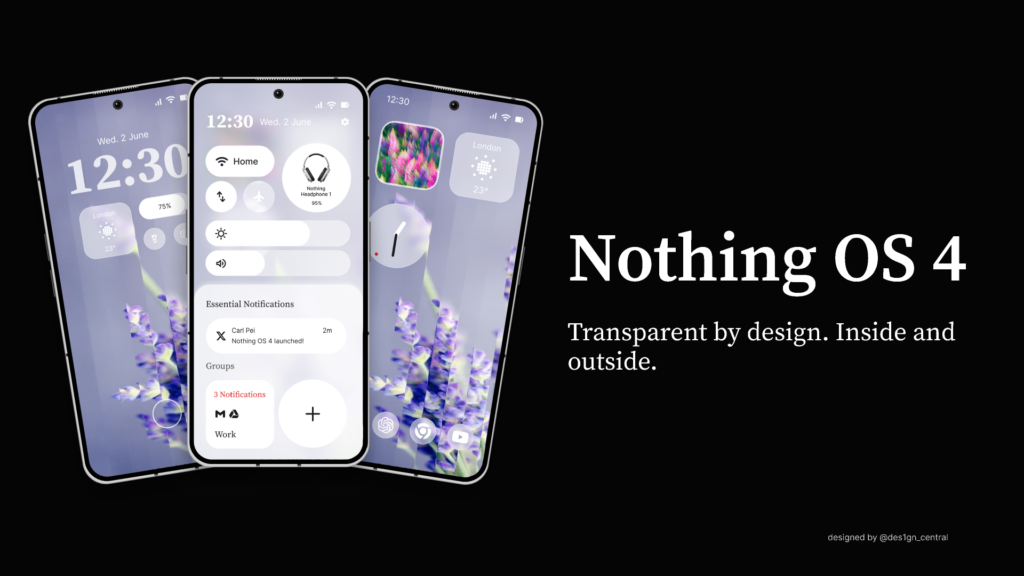
UI controls have been redesigned for ease of use, with circular icons, responsive sliders, and a more intuitive layout across system apps. Enhanced haptic feedback signals when volume reaches limits, providing a more tactile experience.
One key innovation is the Pop-up View, allowing multitasking with two floating windows that can be swiftly switched via gestures. This multitasking enhancement gives users a seamless way to juggle apps without losing focus, improving workflow and enjoyment.
AI-Driven Tools and Fully Transparent AI Control
Nothing OS 4 integrates advanced AI capabilities deeply into the user experience. The update introduces an AI Usage Dashboard that provides users with transparency on how apps use AI technologies. This dashboard allows users to track background activity, manage permissions intuitively, and optimize performance in real time.
Alongside this, Essential Apps powered by AI let users create customized widgets and presets—like camera filters and EQ profiles—without any coding knowledge. These AI-generated tools enable users to personalize their devices creatively, with easy sharing options through the Nothing Playground community portal.
Power over AI behavior is emphasized, offering users complete control with status hints and usage statistics that make AI less intrusive and more helpful, prioritizing privacy and user choice.
Enhanced Camera Experience with TrueLens Engine
Nothing OS 4 introduces the TrueLens Engine, a smarter photography system that upgrades both the Camera and Gallery apps. This engine delivers creative presets such as the new “Stretch” cinematic filter, enhancing photo and video quality effortlessly.
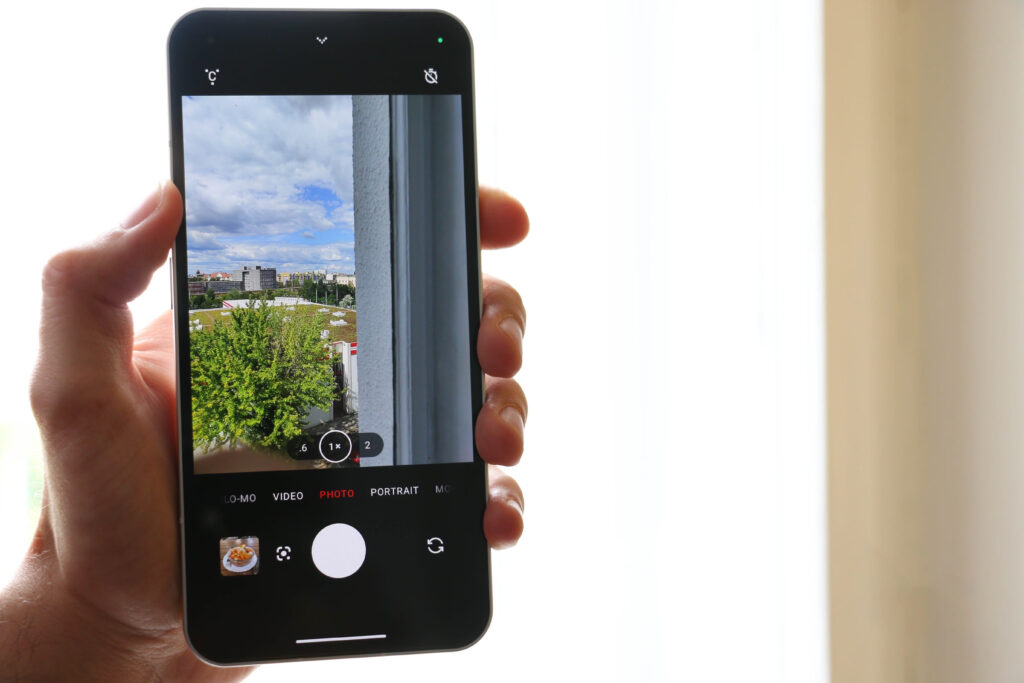
The gallery also receives a smarter layout, enabling more intuitive photo management and previewing. Unique new features like Glyph Mirror Selfie let users use the iconic Glyph Interface lights on the rear of the phone as a natural selfie light, while saving the original photo as a dual capture for convenient edits.
Photographers and content creators using Nothing Phone models will find these upgrades boost creativity alongside ease of use, all while improving overall camera responsiveness and output quality.
Innovative Glyph Interface and Live Updates
The trademark Glyph Interface on the back of Nothing Phones sees significant enhancements in OS 4. Live Updates via the Glyph Interface now show real-time information for ongoing rides, deliveries, timers, and other tasks through light-based cues. This seamlessly merges with lock-screen notifications to keep users informed at a glance without unlocking their devices.
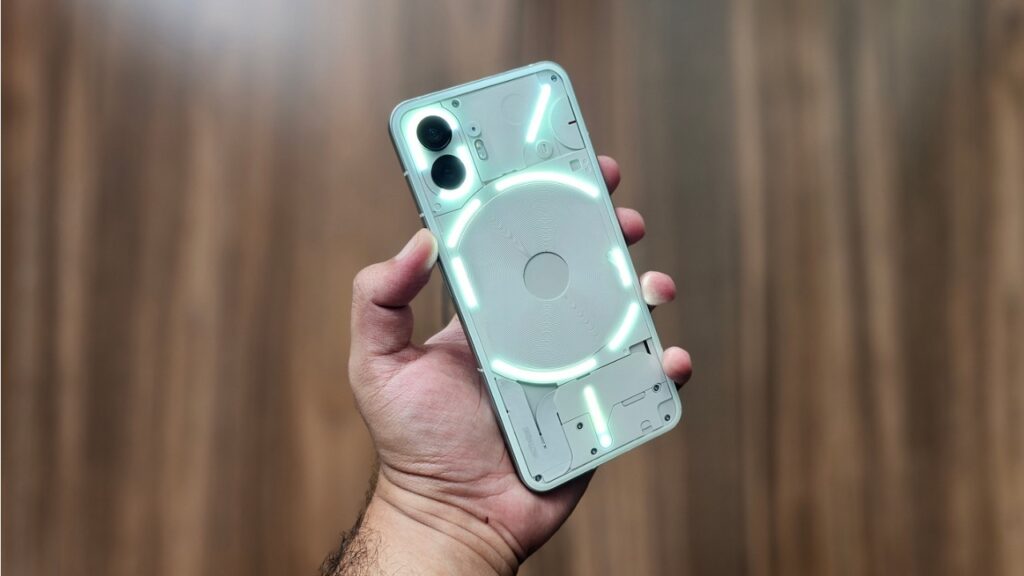
Additionally, new features such as Flip to Glyph controls allow quick interaction with notifications and apps just by flipping the phone or using pocket mode optimizations to reduce accidental touches.
Nothing OS 4 also introduces new “Glyph Toys,” creative light-based animations like Hourglass and Lunar Cycle, adding a playful yet useful element to user notifications and interactions.
Dark Mode and Personalization Boost
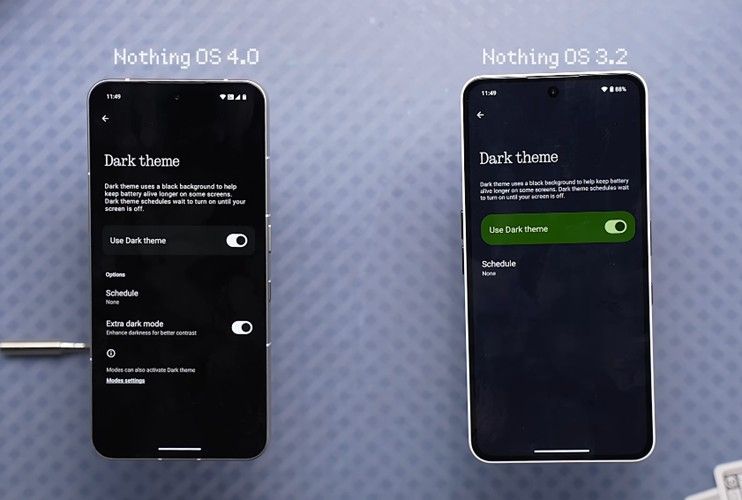
The new Extra Dark Mode feature in Nothing OS 4 offers deeper blacks and higher contrast, improving battery efficiency on OLED screens while reducing eye strain during night-time use. This mode not only applies to the system interface but also extends support to Essential Space and Launcher apps for cohesive user experience.
Users can also hide any app from the drawer for clutter-free organization and resize widgets like Weather, Pedometer, and Screen Time in 1×1 or 2×1 formats. Filters in Universal Settings Search ensure faster access to desired options, boosting overall usability.
Performance, Connectivity, and Stability
Nothing promises that OS 4 will make devices more responsive with faster app launches, smoother multitasking including floating windows support, and an overall smoother Always-On Display experience.
System improvements include a more responsive lock screen, refined brightness control, and stronger, more reliable Bluetooth and Wi-Fi connectivity. These optimizations aim to provide consistent daily use with fewer interruptions and enhanced battery life.
Summary of Key Features:
– Redesigned UI with new lock screen clocks and Lock Glimpse wallpapers
– Pop-up View for two floating apps with gesture switching
– AI Usage Dashboard for app transparency and control
– Essential Apps for AI-powered widget and preset creation
– TrueLens Engine with cinematic camera presets and smarter Gallery
– Enhanced Glyph Interface with Live Updates, Flip to Glyph, and Glyph Toys
– Extra Dark Mode for less eye strain and better battery life
– App hiding, widget resizing, and improved search filtering
– Faster app launch, smoother multitasking, improved connectivity and stability
These innovations mark Nothing OS 4 as a milestone for the Nothing ecosystem, blending futuristic AI tools with user-centric design and efficient device management. For current owners of the Nothing Phone 3 and soon the Phone 3a and older models, this update is guaranteed to enrich everyday interactions with sleek, intelligent software enhancements.