
Modern computers, gaming PCs, and AI systems rely heavily on memory—but not all memory is built the same. Two names you’ll hear everywhere in 2025 are DDR RAM and HBM (High Bandwidth Memory). While both are used to store and move data, they are designed for very different purposes and workloads. In this article, we’ll break down DDR vs HBM in the simplest possible way—so clear that even a school student can understand the core concept. At the same time, we’ll go deep enough to help PC builders, gamers, and AI enthusiasts understand why this memory battle matters, where each type is used, and which one represents the future of computing.
Also Read: Samsung Doubles DDR5 RAM Prices: Why Your Next PC or Phone Will Cost More in 2026
What is DDR RAM?
DDR (Double Data Rate) RAM is the normal system memory used in desktop PCs, laptops, and even servers. When you say “I have 16GB or 32GB RAM in my PC”, you are almost always talking about DDR, like DDR4 or DDR5.
DDR RAM sits in long sticks (DIMMs) that you plug into the motherboard. It connects to the CPU through a 64‑bit wide memory bus and works at high frequency, so it can move a lot of data per second. Modern DDR4 and DDR5 can easily reach tens of gigabytes per second of bandwidth in consumer machines.
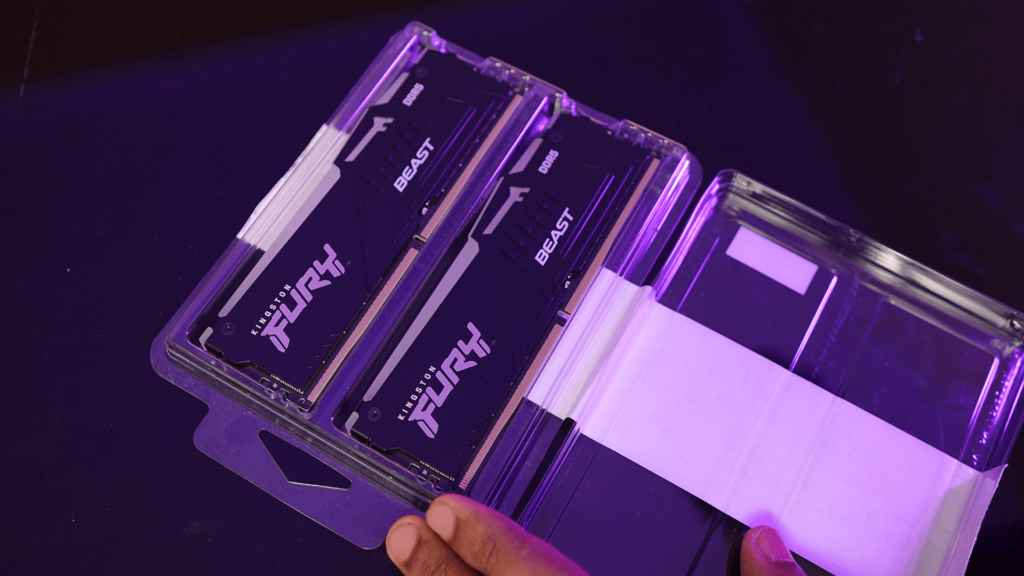
In simple terms, DDR is like a normal water pipe going into your house. The pipe is fast enough to handle your daily needs – cooking, shower, washing – and it is affordable and easy to install. For gaming, browsing, office work, and basic content creation, DDR is more than enough in most systems.
What is HBM?
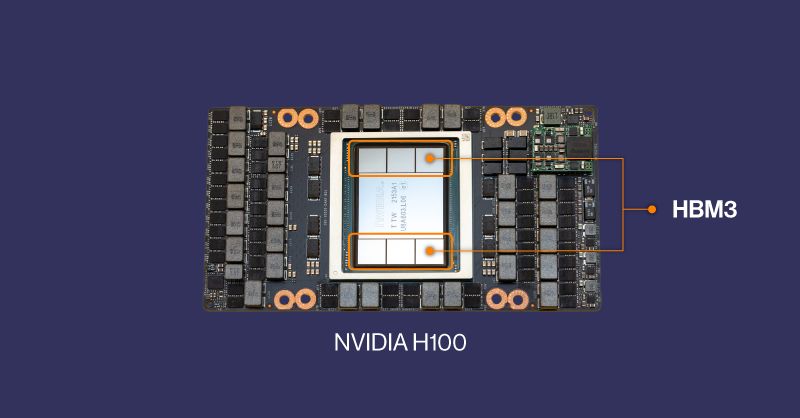
HBM stands for High Bandwidth Memory. It is a special kind of memory used mostly on powerful GPUs and accelerators for AI, supercomputing, and advanced graphics. Instead of being placed far away on a stick like DDR, HBM is stacked in multiple layers and mounted very close to the GPU chip, often on the same package.
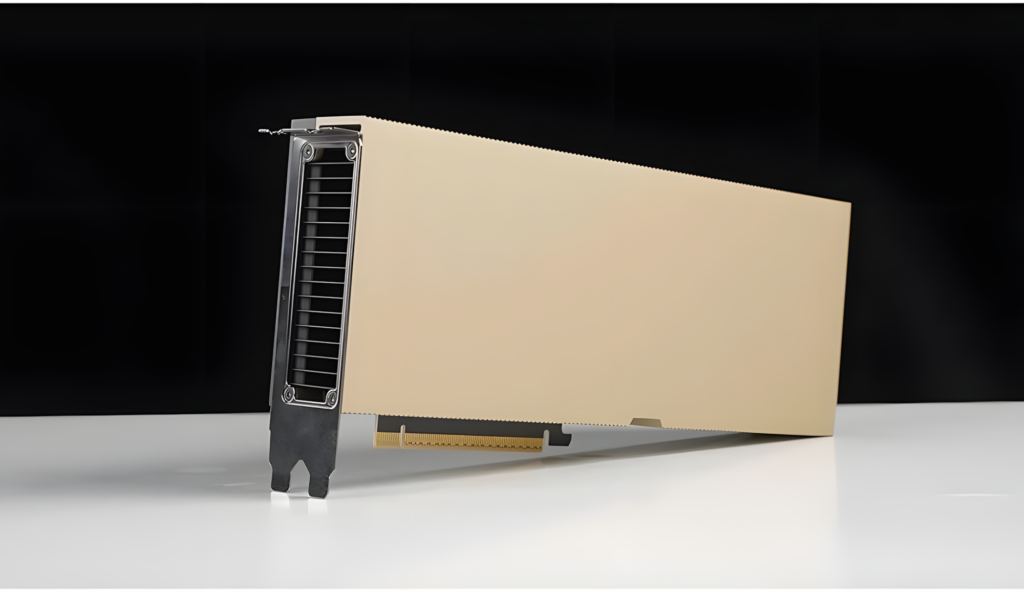
Technically, HBM uses a very wide interface (often 1024 bits or more) and multiple stacked layers of memory chips connected vertically using tiny “through‑silicon vias”. The clock speed of each lane does not need to be extremely high because the interface is so wide that the total data rate becomes huge.
If DDR is a normal pipe, HBM is like a giant industrial pipeline that can move a whole river of water at once. For AI workloads and scientific simulations that need to read and write enormous amounts of data every second, this huge “river” of bandwidth is much more important than just having a big capacity.
The Key Differences Between DDR and HBM
The easiest way to understand DDR vs HBM is to compare a few important points:
- Bandwidth (speed of data)
- DDR: High speed per pin, but the bus is relatively narrow (64‑bit per channel). Total bandwidth in a typical consumer PC might be around tens of GB/s.
- HBM: Lower speed per pin is enough because the bus is extremely wide (often 1024‑bit or more). Total bandwidth can reach hundreds of GB/s to several TB/s on high‑end AI GPUs.
Advertisement - DDR: High speed per pin, but the bus is relatively narrow (64‑bit per channel). Total bandwidth in a typical consumer PC might be around tens of GB/s.
- Physical design
- DDR: Long, flat modules that plug into the motherboard. The memory chips sit some distance away from the CPU or GPU.
- HBM: Memory chips are stacked vertically and placed right next to or on top of the GPU die, with very short connections. This reduces latency and improves power efficiency.
- DDR: Long, flat modules that plug into the motherboard. The memory chips sit some distance away from the CPU or GPU.
- Use cases
- DDR: System memory for regular PCs, laptops, workstations, and many servers. It is designed to be relatively cheap, flexible, and upgradable.
- HBM: On‑package memory for AI accelerators, data‑center GPUs, and some very high‑end graphics cards. It is optimized for extreme bandwidth, not low price.
- DDR: System memory for regular PCs, laptops, workstations, and many servers. It is designed to be relatively cheap, flexible, and upgradable.
- Cost and availability
- DDR: Mass‑produced, available from many brands, and affordable per gigabyte.
- HBM: More complex to manufacture, tied to specific GPU designs, and very expensive per gigabyte.
- DDR: Mass‑produced, available from many brands, and affordable per gigabyte.
Why AI and Data Centers Prefer HBM
Large AI models like modern language models need to handle massive amounts of data in parallel. The GPU must fetch model weights and activations continuously, and the big limitation becomes how fast memory can feed the GPU cores.
With DDR, even if you could connect it directly to the GPU, the narrow bus and longer distance would quickly become a bottleneck. The GPU would sit idle, waiting for data. HBM’s very wide bus and close proximity solve this problem by giving the GPU an enormous firehose of data.
So for AI training and high‑end inference:
- HBM gives extreme bandwidth, which keeps thousands of GPU cores busy.
- The 3D stacked design and short wires help with better power efficiency per bit moved.
- The downside is high cost and fixed configuration, but in a data center that trades money for performance, this trade‑off is acceptable.
Why Your Gaming PC Still Uses DDR (and GDDR)
In a normal gaming PC, the situation is very different.
- The CPU uses DDR as system RAM. It does not need terabytes per second of bandwidth.
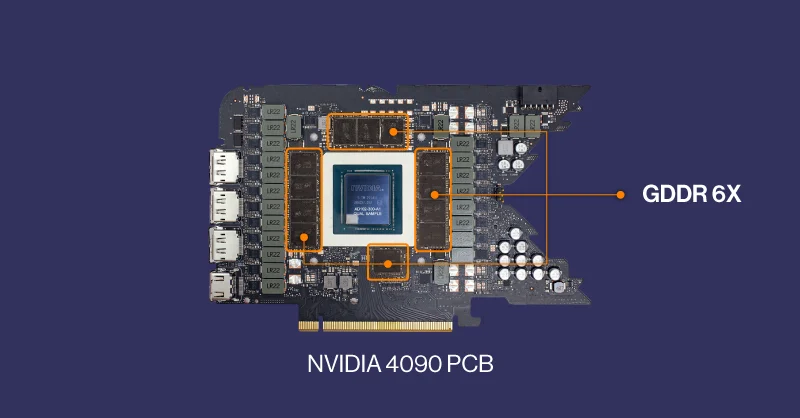
- The GPU on your graphics card usually uses GDDR (like GDDR6), which is somewhat in between DDR and HBM – higher bandwidth than DDR, but cheaper and simpler than HBM.
For gaming at 1080p or 1440p, the main limit is usually the GPU’s raw compute and its own VRAM (GDDR), not the system DDR memory. That is why upgrading from DDR4 to DDR5 gives only small frame‑rate gains in most games, while upgrading the GPU can make a huge difference.
HBM would technically be great for gaming GPUs too, but it would make the cards much more expensive and harder to produce. For the majority of gamers, the extra cost would not be worth the small benefit compared to a good GDDR design.
Will HBM Replace DDR in Normal Computers?
It is very unlikely that HBM will replace DDR as normal system RAM:
- HBM is expensive and tightly integrated with specific chips.
- Upgradability is difficult because it is usually soldered on the same package as the processor.
- For everyday tasks and mainstream gaming, DDR already offers enough performance at a much lower cost.
Instead of putting HBM everywhere, the industry is moving toward:
- Using HBM on specialized accelerators (AI GPUs, supercomputers).
- Using DDR (and its successors) for general‑purpose system memory.
- Exploring new ideas like CXL memory pooling and brain‑inspired (neuromorphic) chips to improve efficiency in the long run.
Explain DDR vs HBM
If you want to explain this in a YouTube video or to non‑tech people, you can summarize it like this:
- DDR is like the regular road network in a city – many cars, normal speed, good for daily use.
- HBM is like a dedicated multi‑lane expressway only for very important trucks – fewer places, but when it exists, it moves a huge amount of cargo extremely fast.
- Your PC, laptop, and most devices run perfectly fine on the normal roads (DDR).
- Giant AI models and supercomputers need the expressway (HBM) because they move insane amounts of data every second.
In short: DDR is the general‑purpose, affordable memory for everyone; HBM is the ultra‑fast, expensive memory reserved for heavy AI and high‑performance computing.