
The SSD market in 2026 offers incredible options for gamers, content creators, and everyday users in India. With PCIe Gen5 drives hitting mainstream prices and budget Gen4 dominating value picks, this guide helps you choose based on your PC builds, gaming needs, and shopping habits.
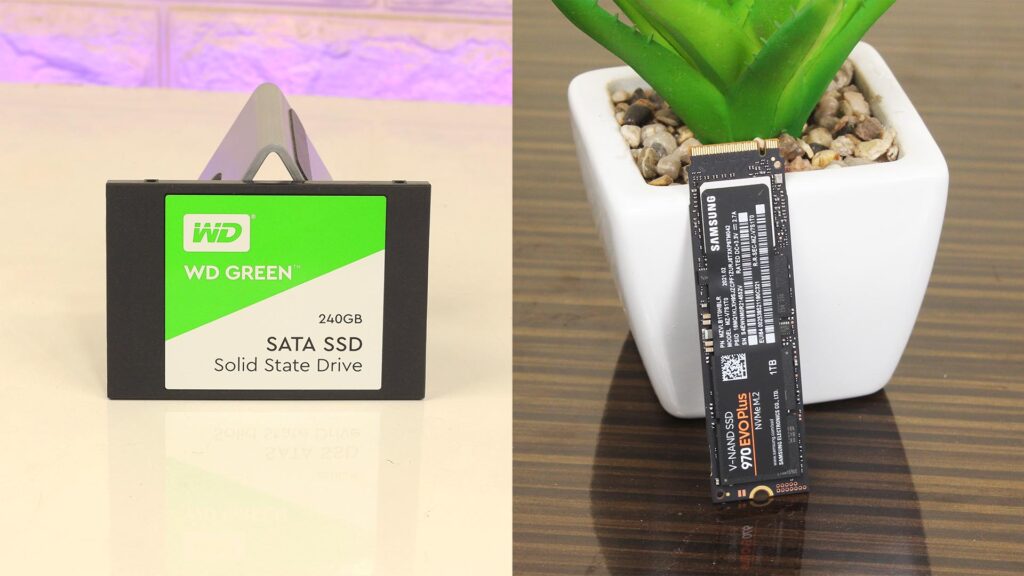
Key Factors to Consider
Focus on PCIe generation first—Gen5 delivers 14GB/s reads but needs strong cooling; Gen4 suffices for most at half the power draw. Capacity matters: 1TB minimum for OS/games, 2TB+ for 4K video editing, content creation, and productivity.
Endurance (TBW rating) ensures longevity—aim for 600TBW on 1TB drives. DRAM cache boosts sustained speeds; DRAM-less options save cash but throttle under load. Heatsinks prevent thermal drops in gaming rigs.
Form factor sticks to M.2 2280 for desktops/laptops. Check motherboard slots via CPU-Z— if the mobo is Gen3 then it limits Gen5 drives to 3.5GB/s.
Top SSD Picks by Category
| Category | Model | Capacity | Speed (Read/Write) | Price (₹, Apr 2026) | Best For |
| Best Overall | Samsung 9100 Pro | 2TB | 14,800/13,400 MB/s | 12,000-14,000 | Gaming & Editing |
| Best Budget | TeamGroup MP44L | 1TB | 5,000/4,500 MB/s | 4,500-5,500 | Daily Use |
| Best Value Gen4 | Crucial P3 Plus | 1TB | 5,000/4,200 MB/s | 5,000-6,000 | PC Upgrades |
| Best Laptop | WD Black SN7100 | 1TB | 7,000/6,600 MB/s | 6,500-7,500 | Laptops |
| High-Capacity | Lexar NM790 | 4TB | 7,400/6,500 MB/s | 18,000-20,000 | Storage Hoarders |
Samsung 9100 Pro leads with top benchmarks and Samsung Magician software for monitoring. TeamGroup MP44L fits affordable gaming PCs without skimping on reliability.
Budget Breakdown (India Prices)
Under ₹3,000: Silicon Power UD85 or WD Green SN350 (512GB Gen3/4)—perfect entry for old laptops.
₹5,000-8,000: Crucial P3 Plus 1TB or WD Blue SN5000—gaming sweet spot with DRAM.
₹10,000+: Samsung 9100 Pro 2TB or Crucial T500—content creation beasts for 4K renders.
Flipkart/Amazon sales drop these 20% during festivals. Factor 18% GST; local Siliguri shops add ₹200-500 delivery.
Also Read: NVMe vs SATA SSD – Is NVMe Really Worth It in 2026?
Performance Benchmarks
Gen5 SSDs like Samsung 9100 Pro load Cyberpunk 2077 levels 40% faster than Gen4. Real-world: OS boot in 5-7 seconds vs SATA’s 15.
For content creators, NVMe transfers 100GB of footage in under 20 seconds. Test post-buy with CrystalDiskMark—target 4K random reads over 700K IOPS.
Power efficiency improved: Gen5 idles at 5W, matching SATA. PS5 users need <9cm height with heatsink.
Installation Tips
- Backup data first.
- Enter BIOS (Del/F2), enable PCIe mode for M.2 slot.
- Secure with screw; add heatsink if >7GB/s drive.
- Clone old drive using Macrium Reflect (free).
- Resize partitions in Windows Disk Management.
Laptops: Confirm M.2 key (B+M or M) via service manual. Avoid Gen5 in thin laptops—heat kills speeds.
Common Mistakes to Avoid
Buying without checking PCIe version—Gen3 mobo wastes Gen5 cash. Skipping DRAM for “bargains”—throttles video exports.
Ignoring TBW: Budget DRAM-less dies faster under writes. Overpaying for RGB heatsinks unless PS5.
No warranty check—top brands give 5 years. Fakes flood Indian markets; buy from authorized sellers.
Gaming and Content Creation Focus
DirectStorage in 2026 games favors NVMe—SN850X heirs like 9100 Pro cut stutters. For your tech blogs, 2TB NVMe handles Premiere Pro timelines smoothly.
Pair with DDR5 for max throughput. Hybrid: 1TB NVMe (OS/games) + 4TB SATA for archives saves ₹5,000.
Where to Buy in India
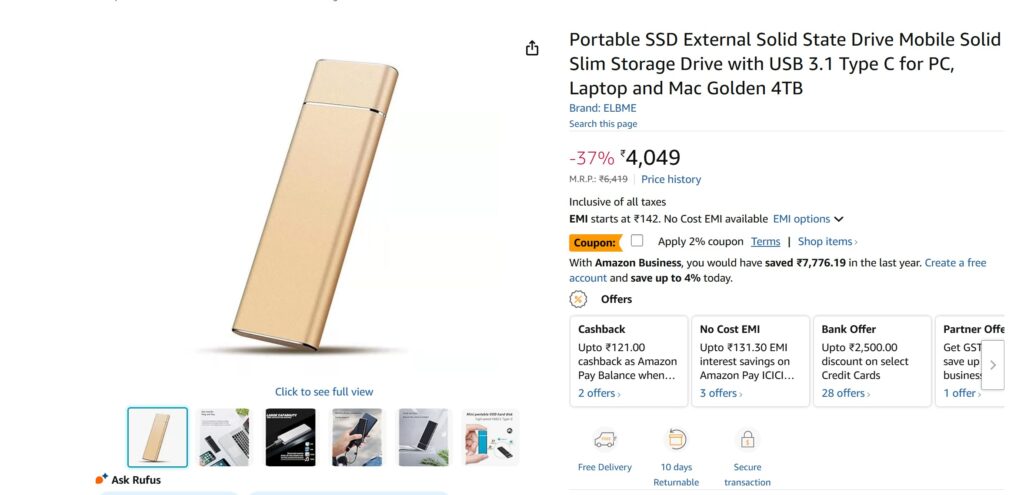
Amazon/Flipkart for fast delivery to West Bengal. MD Computers or PrimeABGB for bulk deals. Also pls don’t buy SSDs from random brands.
Final Thoughts
Prioritize Samsung 9100 Pro or Crucial P3 Plus for 2026 builds. Match budget to needs—₹5,000 gets 90% performance. Upgrade now for future-proof gaming and content.
FAQs
Q1. Which SSD should I buy?
A: Choose NVMe for high performance and SATA for budget-friendly options.
Q2. NVMe vs SATA – which is better?
A: NVMe is faster, but SATA is enough for basic usage.
Q3. How much SSD storage is enough?
A: 500GB is minimum, but 1TB is recommended for most users.
Q4. Best SSD for laptop?
A: NVMe SSD is best if supported; otherwise, go for SATA SSD.